Development
Photoshop CS5: Portrait Retouching
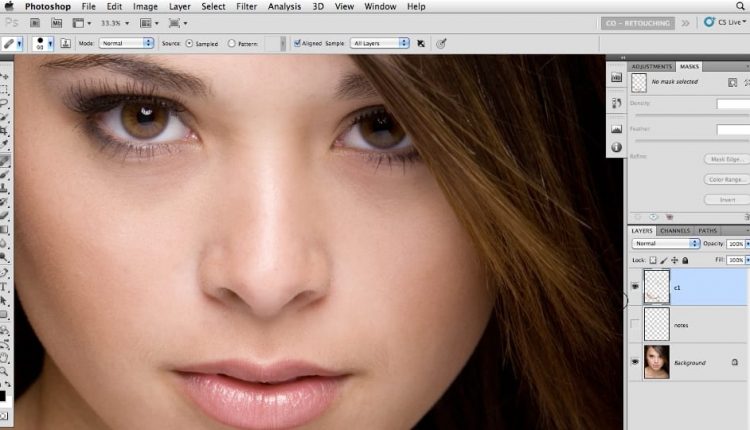
Learn how to improve portraits while keeping them natural with white balance correction, skin tone refinement, facial detail work, hair retouching, teeth brightening, and complete portrait workflow techniques in Photoshop CS5.

Course overview
This course focuses on portrait retouching techniques that help photographers improve images without making people look artificial or overprocessed.
Created by Chris Orwig, this Lynda course is designed for photographers who want to work more confidently in Photoshop when editing portraits. It centers on the practical tools used to correct color, refine skin tone, improve facial details, and guide attention toward the most important parts of a portrait.
The training also covers features like Content-Aware Fill, Camera Raw adjustments, eye enhancement, hair improvement, teeth whitening, skin softening, and overall retouch workflow from start to finish. It is a portrait-focused course aimed at helping photographers make thoughtful improvements while preserving realism.
Topics covered
The course focuses on the portrait-specific Photoshop tools and judgment calls that matter most when improving photographs of people.
Color and skin tone correction
Improve portraits with better white balance and more accurate skin tone adjustments.
Facial feature enhancement
Work on eyes, teeth, and facial details in ways that feel polished without looking forced.
Cleanup and texture control
Use Content-Aware Fill and retouching tools to clean backgrounds, reduce distractions, and soften skin carefully.
Start-to-finish workflow
Bring the retouching steps together into a more complete portrait editing process.
What you will learn
- Understanding the art of retouching
- Correcting overall white balance
- Using color correction tools to correct skin tone
- Using Content-Aware Fill
- Detailing and improving eyes and other facial features
- Working with the Camera Raw Adjustment Brush
- Adding and improving hair
- Whitening and brightening teeth
- Softening skin and enhancing makeup
- Reviewing the final workflow for the best work possible
Related tutorials
These related tutorials connect to nearby creative and development topics from the original page.


Frequently asked questions
Who is this course for?
This course is useful for photographers and Photoshop users who want to improve portraits while keeping subjects looking believable and natural.
What makes this course useful?
It focuses specifically on portrait retouching decisions, so it helps learners understand not just which tools to use, but how to use them with restraint and intention.
What skills does it support?
It supports white balance correction, skin tone work, eye and hair enhancement, teeth brightening, skin softening, cleanup, and start-to-finish portrait retouch workflow.