Development
Photoshop CC One-on-One: Advanced
Take your Photoshop skills deeper with advanced masking, Smart Objects, Liquify, vector shapes, Content-Aware Scale, blend modes, and higher-level compositing techniques taught through practical project work.

Course overview
This advanced Photoshop course is the second installment in Deke McClelland’s One-on-One training series and focuses on stronger image editing, selection, masking, and compositing workflows.
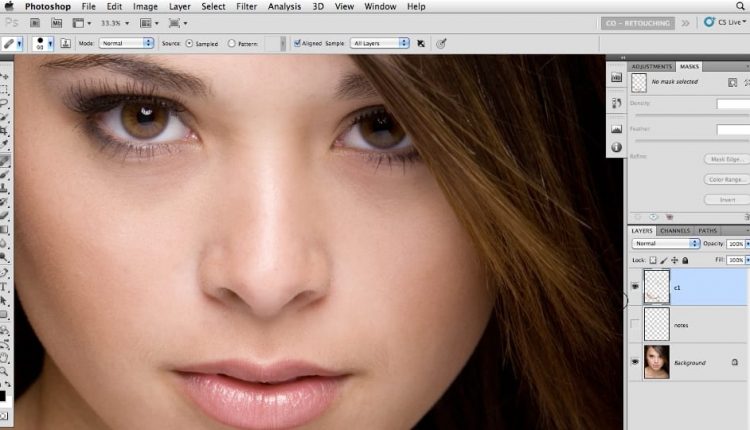
Created by Deke McClelland, this Lynda course is built for learners who already know the essentials and want to move into the more powerful tools inside Photoshop CC. It covers automated selection tools, Color Range, Focus Area, Refine Edge, Smart Objects, Smart Filters, Liquify, vector drawing tools, and advanced transformation techniques.
The course also explores ways to reconstruct and improve weak photographs using Content-Aware Scale, healing tools, layer effects, Levels and Curves adjustments, blend modes, lens corrections, and perspective warping. It is a project-based training course aimed at helping users apply Photoshop’s advanced capabilities in practical, visual work.
Topics covered
The course focuses on higher-level Photoshop tools that support more precise editing, stronger image control, and more flexible non-destructive workflows.
Selections and masks
Improve object selection and mask refinement with Color Range, Focus Area, Refine Mask, and related tools.
Smart Objects and Smart Filters
Use non-destructive workflows that make it easier to transform, filter, and reuse complex layers.
Advanced transformations
Work with skewing, distortion, warping, Content-Aware Scale, and other tools that reshape images more effectively.
Blend modes and finishing
Adjust contrast, color, luminance, and overall image presentation with blend modes and tonal controls.
What you will learn
- Selecting objects in photographs
- Refining masks with the Smudge tool, Refine Mask, and Refine Radius
- Using the Focus Area tool
- Skewing and distorting a layer
- Transforming and duplicating in one operation
- Warping text
- Creating and masking Smart Objects
- Applying Smart Filters
- Nesting Smart Objects
- Using Content-Aware Scale
- Applying stack modes
- Using the Liquify filter
- Drawing custom vector shapes
- Adjusting contrast, color, and luminance with blend modes
Related tutorials
These related tutorials connect to nearby creative and development topics from the original page.


Frequently asked questions
Who is this course for?
This course is useful for Photoshop users who already know the basics and want to move into more advanced selections, compositing, masking, and non-destructive editing workflows.
What makes this course useful?
It teaches advanced Photoshop tools through real project work, which helps learners apply powerful features in more believable and practical ways.
What skills does it support?
It supports masking, Smart Object workflows, advanced transformations, blend modes, Liquify, vector shape creation, and higher-level photo reconstruction techniques.